|
Overview:
Earlier, we mentioned GrabIt. It's an application that's generally used for downloading binary files from newsgroups. Binary files are files that are not text files. Although the binary files may are converted to text files when uploaded, they are not text files when reassembled. Examples of binary files would be video, music and image files. GrabIt makes downloading easy. When the files are downloaded, GrabIt will decode them and place them into a folder on your hard drive. GrabIt can be downloaded from http://www.shemes.com/. If you want to download it and set it up as we go through this part of the tutorial, do so now.
Getting Started:
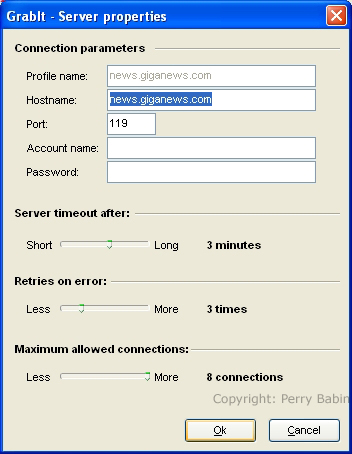
Virtually all ISPs (Internet Service Providers) provide newsgroup access. When you install GrabIt, you will be required to enter certain information so that the software can find the proper server. If you have cable or DSL internet service and are using the newsgroup server from your ISP, the setup will be very easy. All you will need to do is to give the name of the news server. This is generally something like news.eatel.net (for my ISP) or news.central.cox.net (for some Cox cable internet users) or something like news.giganews.net (for outside newsgroup servers). In the following dialog box, you can see that I've entered the server name for Giganews.
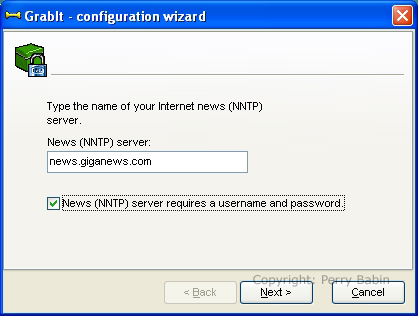
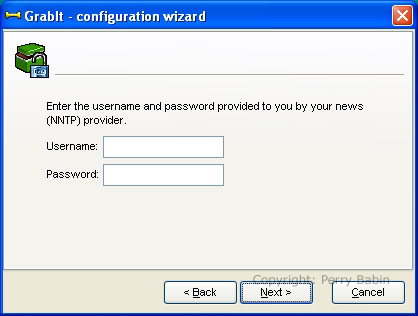
If you're using an outside provider, you will need to enter the username and password. If the box is checked in the previous window, the next dialog box will appear. This is where you enter the username and password. Both are likely 'case sensitive' (upper-case must be upper-case and likewise for lower-case).
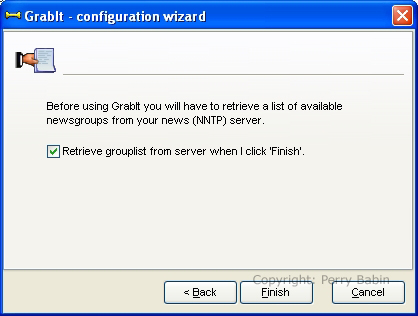
Various newsgroup providers offer different newsgroups. Some like Giganews (and those who sub-contract through them) offer virtually every newsgroup available. Other providers offer a limited selection. To allow GrabIt to find what your provider offers, you need to allow it to update the grouplist. You can this by ticking the checkbox and clicking FINISH. Keep in mind that there are 100,000 or more newsgroups. Depending on the speed of your internet service, downloading the grouplist could take between 2 minutes and 2 hours.
If you need to change the server account (if you upgrade your service or change service providers), you can do so by RIGHT-clicking the server name and selecting 'server properties'. If you need to add a new server, RIGHT-click the 'My GrabIt' link and select 'add server'.
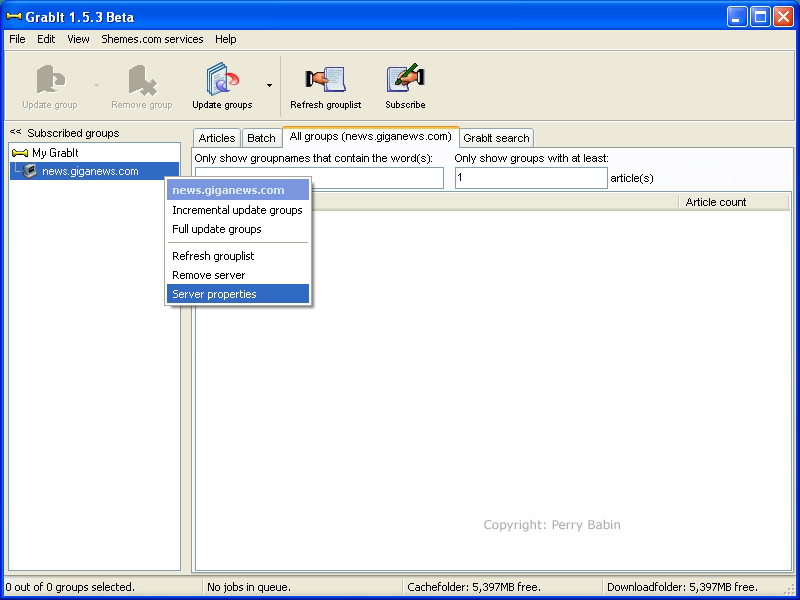
This is where you would enter the username (account name) and password for servers that require such information (usually outside providers).
To manually update or retrieve the grouplist, you need to click the name of the server you wish to upadate (in the left pane) and then go to the top of the window and click the 'Refresh Grouplist' button. While the list is being downloaded, GrabIt will show that there is one item in the batch.
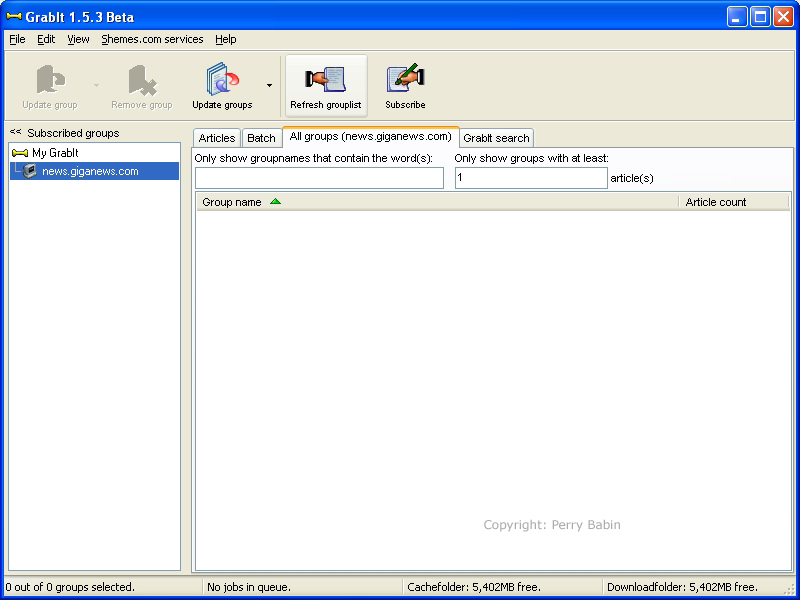
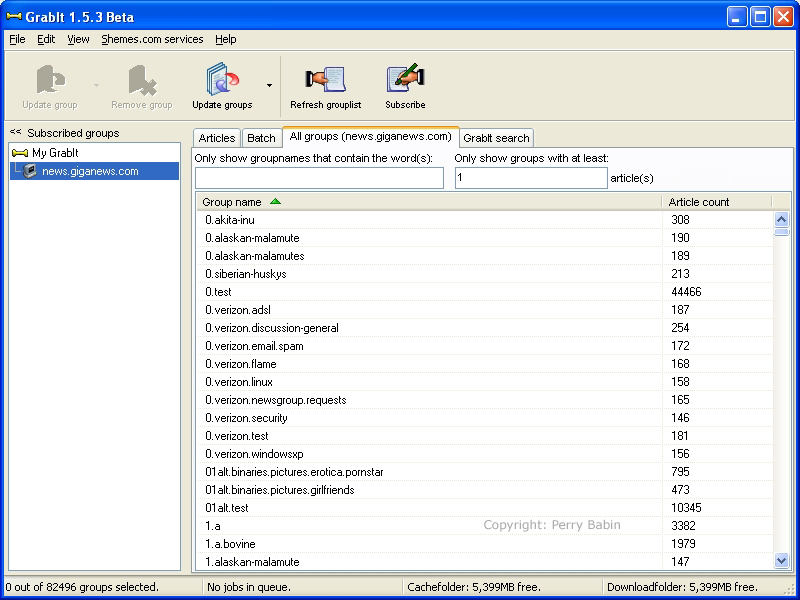
When the download is complete, you will see something like the following list. As you can see, there are about 82,000 newsgroups on this server. It's unlikely that you're going to read the name of every group in the list (unless you are VERY bored :).
If you have an idea of what you want to download, enter a single keyword in the text field in the following window. If there are any newsgroups that contain the word you enter, they will be displayed. Keep in mind that only the name of the newsgroup is used in this type of search. It does nothing to find groups with related information in the bodies or subject lines of the individual groups. You can see how the list has changed from the previous image to the next image.
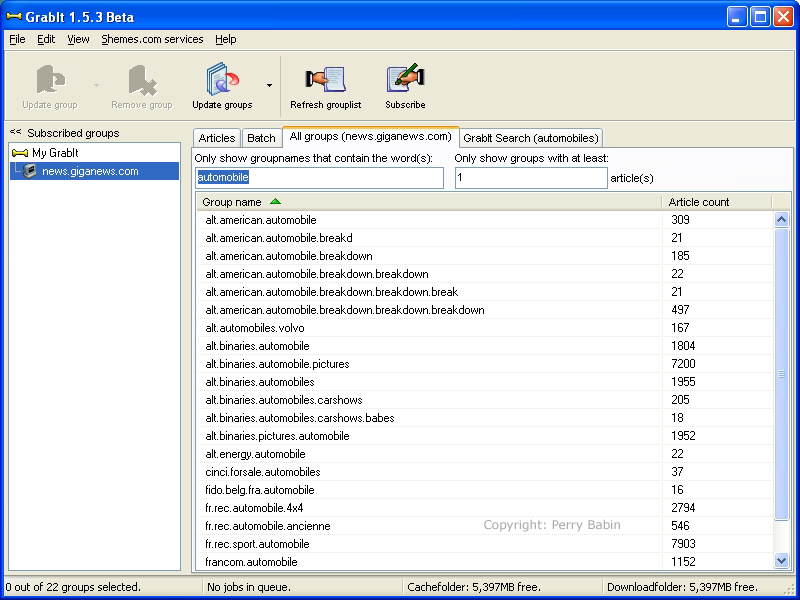
I want you to notice a few things in the previous image. You can see that the list is sorted by name and is in ascending order. The green arrow on the header of the 'name' column indicates whether it's ascending or descending order. In descending order, the arrow would face down. As with any of the bars above each of the columns, clicking the bar will toggle sorting properties. If you click the 'article count' bar, you will see that sorting goes to that column (as it does in Windows Explorer). Below, I've set the sorting to descending on the article count column. This is useful when you want to find the most active groups.
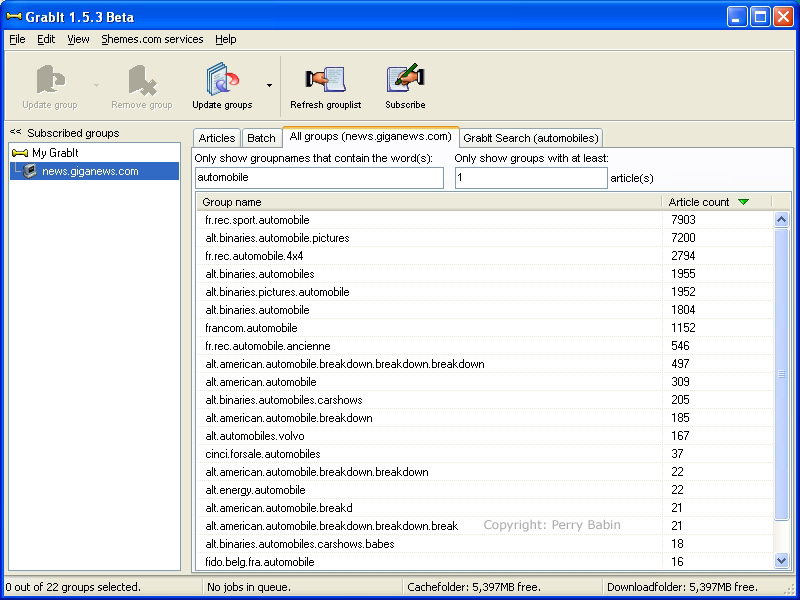
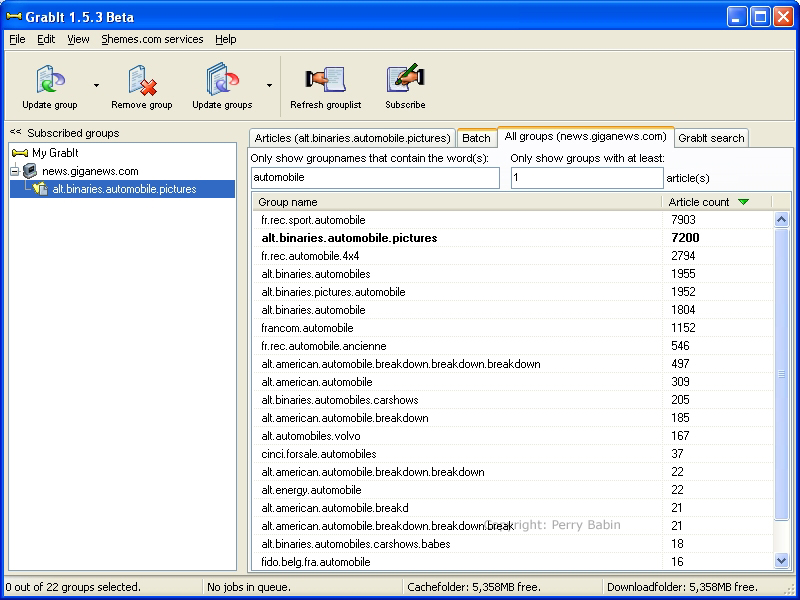
When you find an interesting group, you double-click it in the right pane. This moved the group name to the left pane under the server name (you may have to click the '+' sign next to the server name to expand the list so that you can see the group name). You are now subscribed to that newsgroup but you need to retrieve a list of headers for the group. To do this for a new group, you can double-click it in the left pane. This performs a 'full' update and is often very time consuming. After the initial retrieval of headers, it's better to do an incremental update. For an incremental update, you can right-click and select 'incremental update' or you can left click the group in the left pane (to highlight it) and click the incremental update button in the toolbar (click the down arrow and select incremental update).
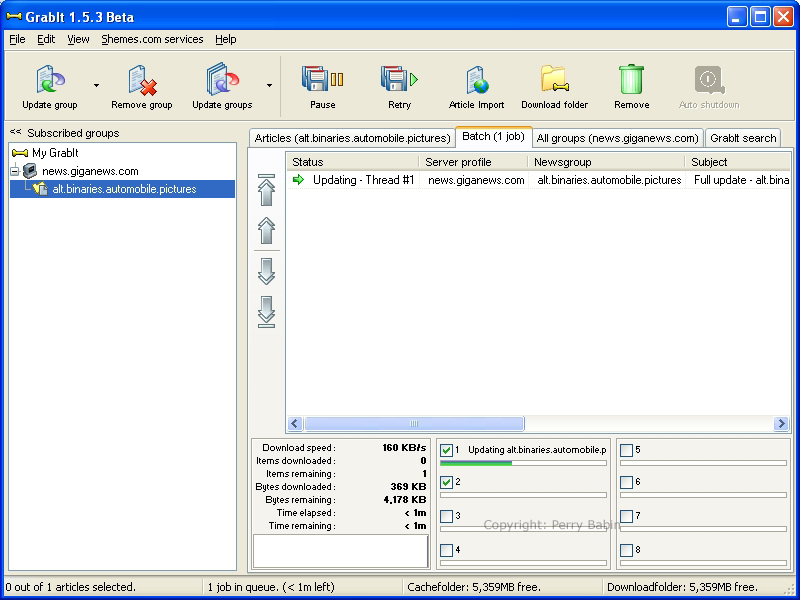
In the following image, you can see that there is various bits of information provided while we're updating the list. The most important for impatient people is the time remaining. This 'may' be only a rough estimate but it's pretty accurate if the download speed remains constant. Notice that we're on the 'batch' window here.
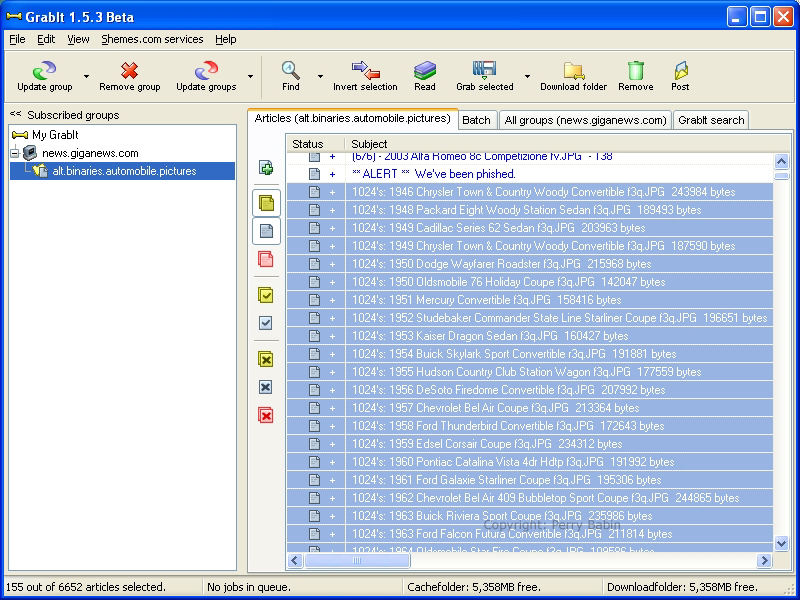
Here, on the articles tab, you can see that I've selected a number of articles (155 to be exact -- lower left corner). To 'grab' them, you simply have to press the 'grab selected' button. This will move them to the 'batch' window.
Below is what it looks like while the files are downloading. The arrows are:
- Yellow - Being decoded
- Green - Being Downloaded
- Blue - Waiting to be downloaded
- Red (not shown) - File not on server (you probably needed to perform an incremental update before selecting the files).
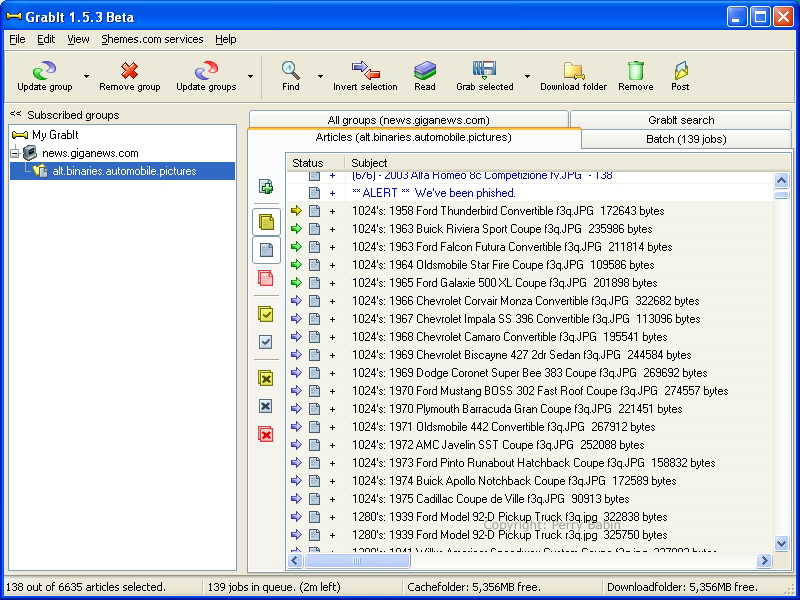
In the batch window, you can see the progress of the downloads. You should notice that only 4 of the 8 boxes are checked. Each check-box enables/disables a connection to the server. For normal Giganews accounts, you can have as many as 10 open connections. On the account I have (unlimited download bandwidth), only 4 connections are permitted. If you open too many connections, you will get a '502' error. Simply un-checking the extra connections will prevent the error messages.
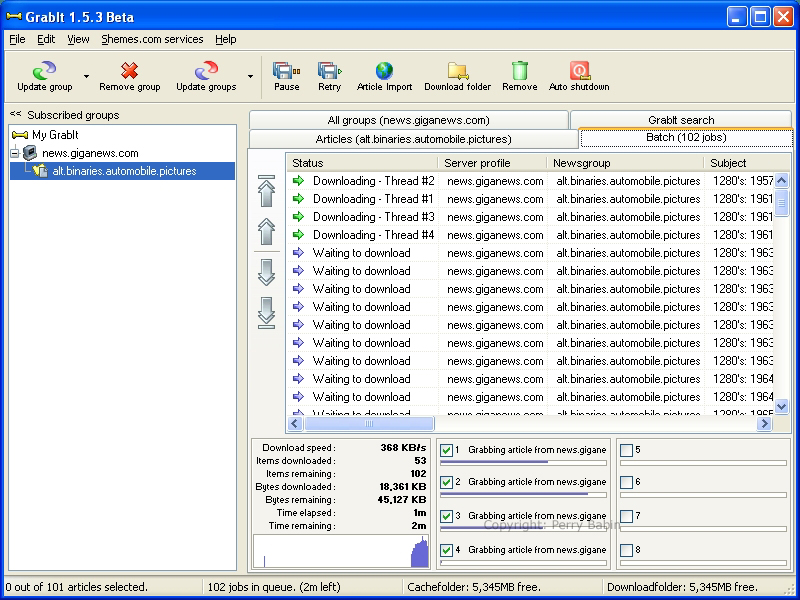
When the selected files have been downloaded, the batch window will again be empty.
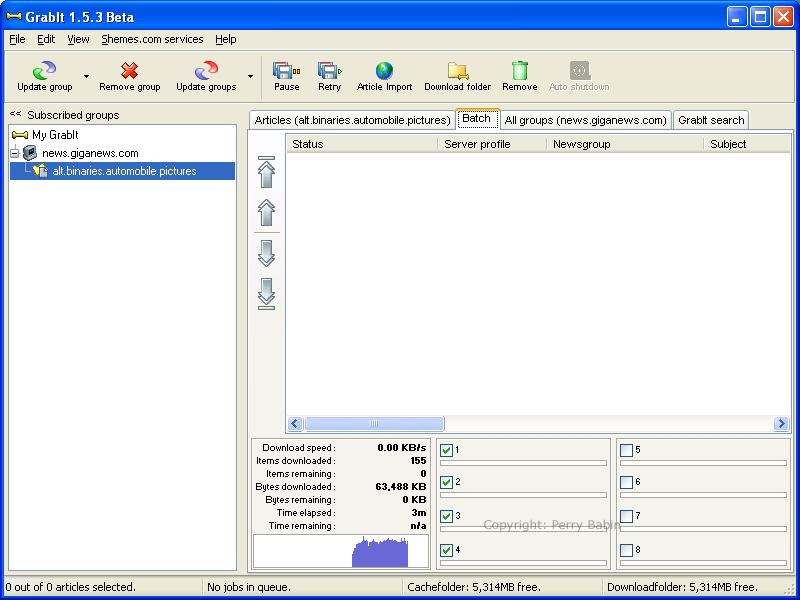
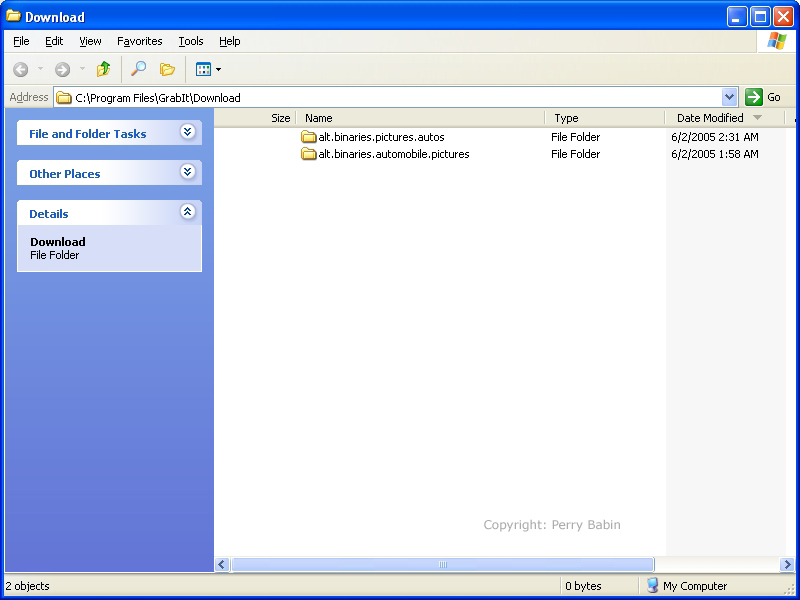
To see the files that you've downloaded, you can click the 'download folder' button at the top of the window. This will open the download folder (big surprise) which will have the subfolders for all of the newsgroups from which you've downloaded items. If I had downloaded from other groups, those folders would be here also.
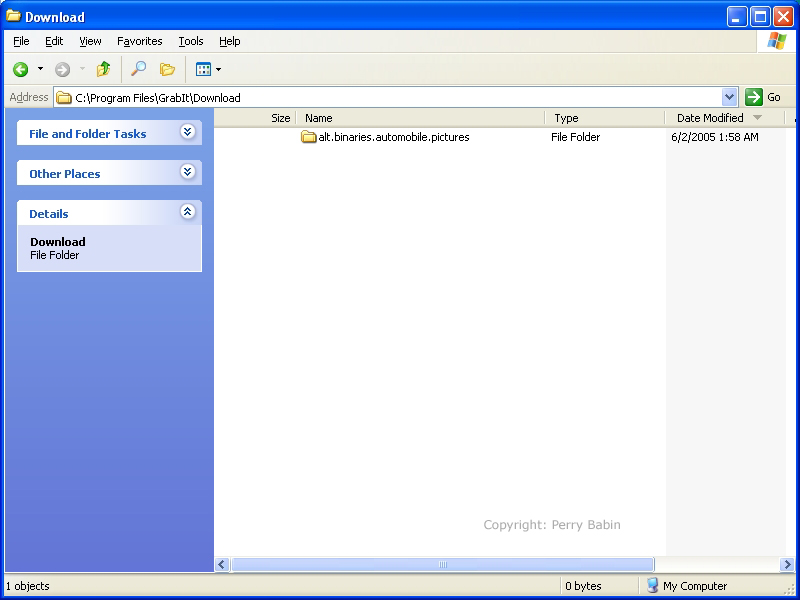
This is a list of the files I downloaded.
Limiting the Number of Headers Downloaded:
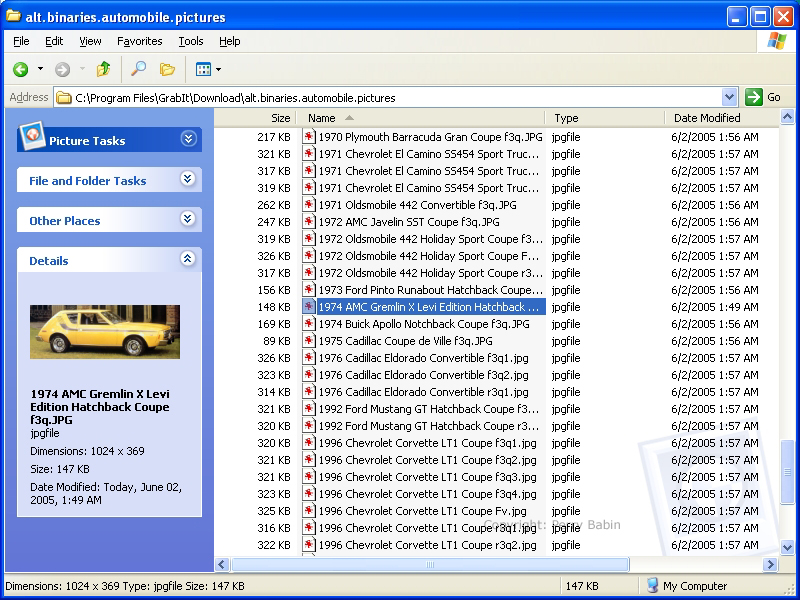
If you have a relative slow computer or a relative slow internet connection, you may want to limit the number of headers downloaded. Some active groups will have millions of headers. We have only a small number of headers to download here so it's not important for this group. If you go to EDIT >> PREFERENCES and select the HISTORY tab, you can set the maximum number of headers that will be downloaded. The default is 1/2 million headers.
Using the Search Function
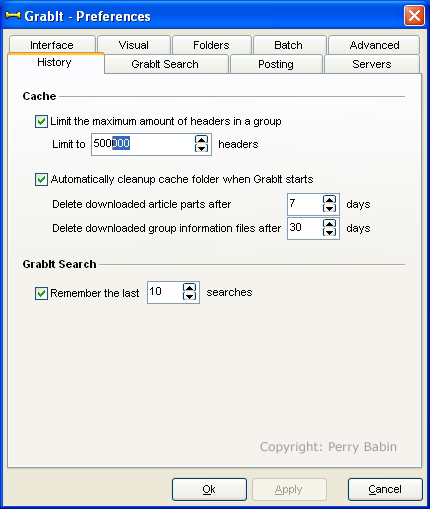
If you need to find groups that contain certain keywords, you can use the GrabIt search function (right-most tab). I believe that there is a limited number of searches for a single day but you can pay for unlimited searches and it's only a few dollars a month. It may only take a month to find the groups you need. The small asking price is well worth the convenience. Below, you can see that I used the search function to find 'automobile' content. This is a good way to find groups that have content similar to what you want/need. When you have a large number of relevant items returned from a group, you may want to subscribe to that group.
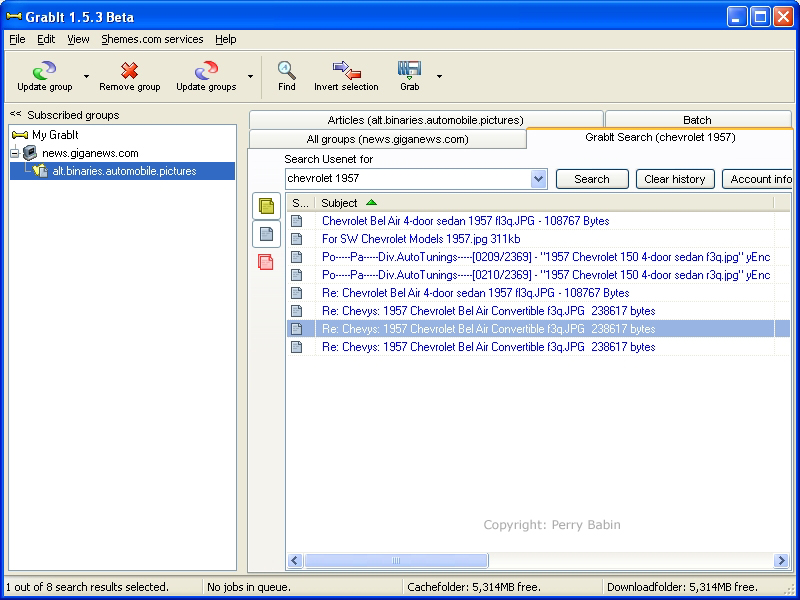
When you download from this tab, it works a little differently. When downloading from a group to which you've subscribed, you simply have double-click it to start the download. That won't work here. You have to right-click the header and select the server (even if you have only one server).
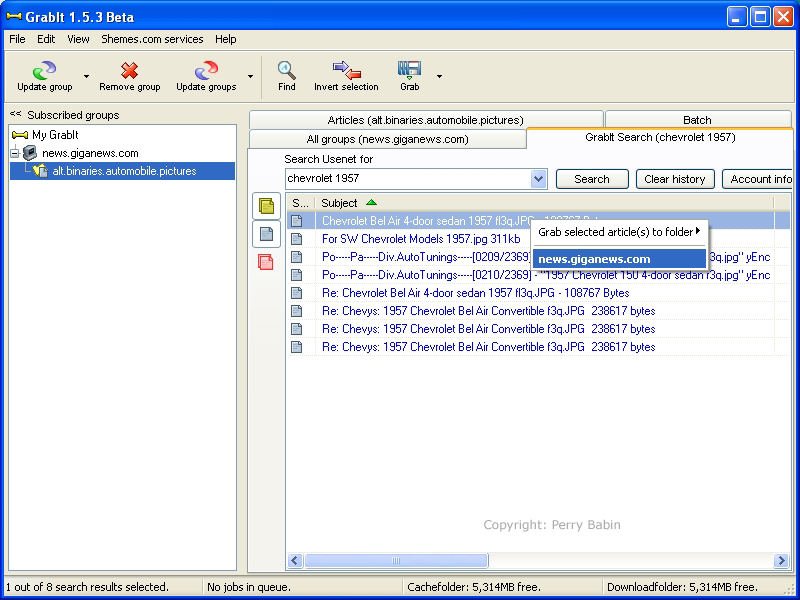
And here, you can see that a second folder has been added when I downloaded from another group.
Gent081: [exclusive]
To understand the utility of a marker like gent081, it must be analyzed through its constituent parts. This structural pattern is common in computer science, database management, and online identity creation.
If you are looking to deploy this specific alphanumeric configuration within an active infrastructure, please share the (such as AWS, a specific SQL database, or an inventory system) you are targeting so we can detail the precise configuration steps required. Share public link
Based on the generic structure of the code, here are the most common scenarios where you might encounter "gent081":
, taken on May 24, 2017, which was used in motions to compel further discovery responses from the state.
: Include the assignment title, your name, student ID, and the tutor's name. Introduction : Hook the reader and define the topic. State your thesis or the main objective of the paper. Provide a brief "roadmap" of what you will discuss. Body Paragraphs : Topic Sentence : Start each paragraph with the main point. gent081
It bridges the gap perfectly: you get the heritage of Tissot, the engineering of a 316L steel case, the safety of a sapphire crystal, and the worry-free accuracy of a quartz movement. Whether you are a seasoned collector looking for a beater watch to wear on weekends or a first-time buyer looking to purchase their first "real" Swiss watch, the "gent081" is a choice that will leave you satisfied for years to come.
This likely serves as a product line or model group identifier . It's common for manufacturers to use a memorable keyword to designate a specific series of products. For example, Tissot has a watch collection named "Gent". Other possibilities include:
The case is crafted from , an alloy known for its exceptional corrosion resistance, durability, and ability to maintain a high polish. 316L steel is the industry standard for premium timepieces because it is hypoallergenic and can withstand the daily knocks and bumps of an active lifestyle. The surface of the steel features a satin finish, a subtle brushing technique that reduces glare and gives the watch a tool-like, purposeful aesthetic.
Beyond lines of code, the "gent" prefix taps into a massive global renaissance in men's style and refined urban aesthetics. To understand the utility of a marker like
Often corresponds to the original equipment manufacturer (OEM), a proprietary line of fastening tech, or a standardized series of geometric shapes (such as specialized gantry or generator interfaces).
The previous interpretations cover the majority of scenarios. However, "gent081" is a versatile term that could appear in other, less common contexts.
The keyword is a compelling example of a generic identifier, meaning its true definition is fluid and entirely dependent on the context in which it appears. It most likely functions as a truncated product code, particularly for a specific variant of a Tissot Supersport Gent watch or a reference for a Honeywell Gent fire alarm control panel. However, it could also be a real estate listing ID, an internal SKU, or even a faulty course code.
I can provide target code snippets or deeper architecture charts for your exact project. Share public link Based on the generic structure
The string "gent081" is not a standard, pre-defined product code or a widely recognized term. It is a generic identifier, which means its meaning is entirely context-dependent. To understand what a specific "gent081" refers to, you must consider the system or platform where you encountered it:
Embed the token in the primary H1 header, URL slug, and image alt text. Maximum crawling indexing speed.
As of April 2026, the stock has been noted for its technical performance and risk profile on platforms like Yahoo Finance.
The Tissot T125.610.17.081.00 is fitted with a . For an active modern man, a rubber strap is arguably more practical than a metal bracelet or leather. Rubber is hypoallergenic, lightweight, and does not absorb sweat, making it incredibly comfortable to wear during hot summers or intense gym sessions.
For a sports watch, water resistance is non-negotiable. The Tissot Supersport Gent is rated for of water resistance. This level of protection goes far beyond simple splash resistance:
Also, who or what is gent081? Is it a person, a place, or something else? |
|
